

More proposals, fewer wins: how architecture firms should use AI for business development

Short answer: architecture firms get the most from AI in business development when they use it to pick better pursuits and reuse their own winning work, not to send more proposals. That starts with clean client and pursuit data in a CRM. AI then pre-scores go/no-go decisions, drafts from past wins and handles follow-up, while partners make the final call.
Your team is sending more proposals than ever. The pipeline looks busy. But the share of pursuits you actually win keeps slipping, and your senior people spend their evenings on bids instead of billable work.
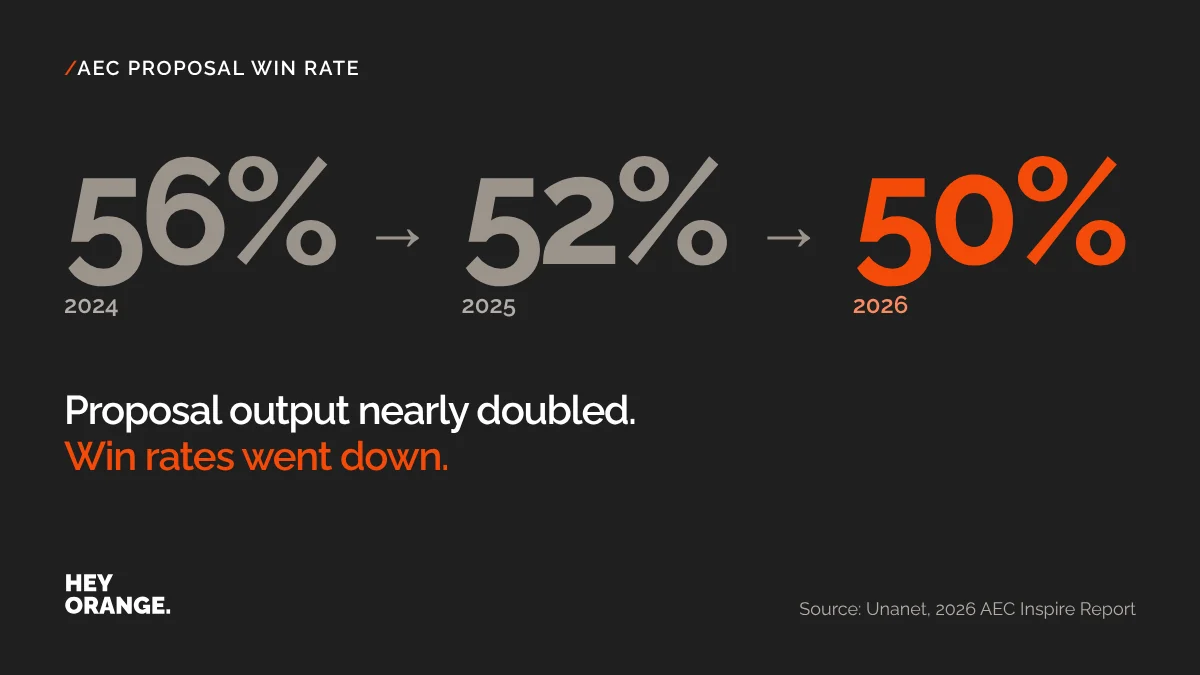
You're not alone. In Unanet's 2026 AEC Inspire Report, 71% of firms say they are submitting more proposals than last year, and proposal output has nearly doubled. Over the same period, win rates fell from 56% in 2024 to 52% in 2025 and 50% in 2026.
AI is part of that story. About three in four AEC firms now use AI, and business development and marketing is where they use it most. The AIA Firm Survey Report 2026 puts the share of architecture firms using AI day to day at 74%.
So firms use AI to write faster, and they write more. But a faster proposal for the wrong project is still a lost proposal. With a typical A&E proposal costing $12,000 to $15,000 to produce, every bid you shouldn't have sent is a real cost.
There's no single AI tool that fixes this. What works depends on how clean your client data is, how formal your go/no-go is today, and how much of your work comes from repeat clients and developers. The four steps below go in the order we recommend.
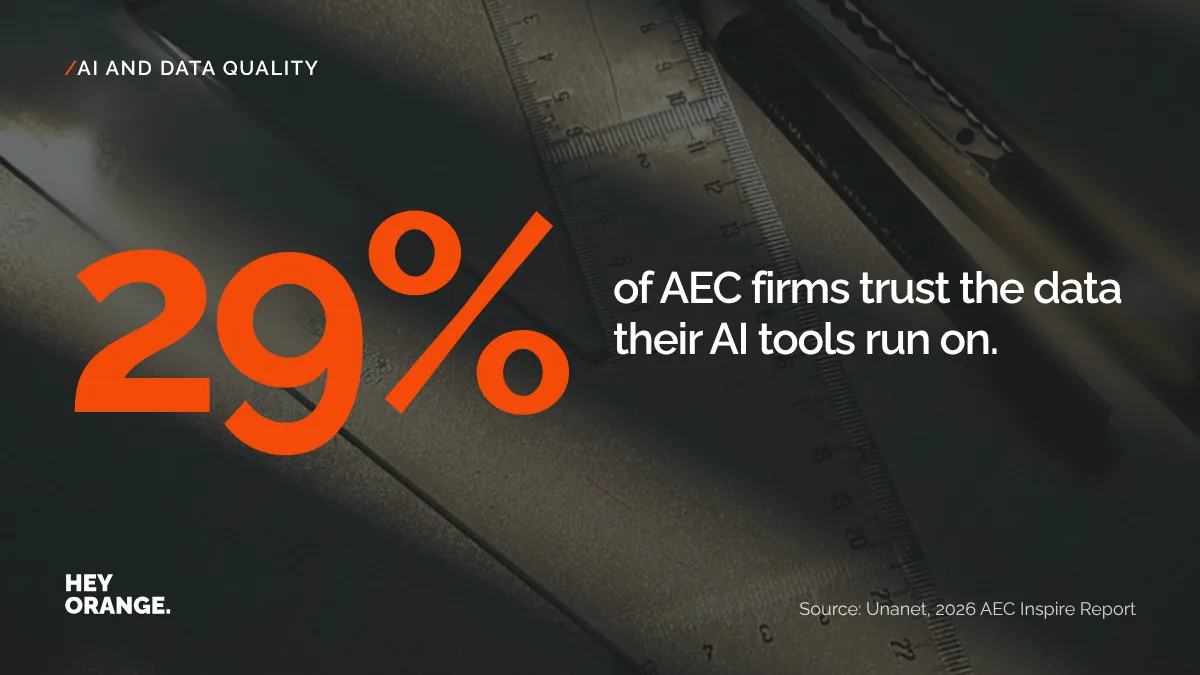
AI can only reason about what it can see. If your pursuits live in a spreadsheet, past proposals in a shared drive and client history in partners' inboxes, any AI tool works from fragments. That's why only 29% of AEC firms report high confidence in the data behind their AI.
You have three realistic options:
What tips the choice is how many people touch business development. Once it's more than the founder and one BD lead, a shared CRM stops being optional.
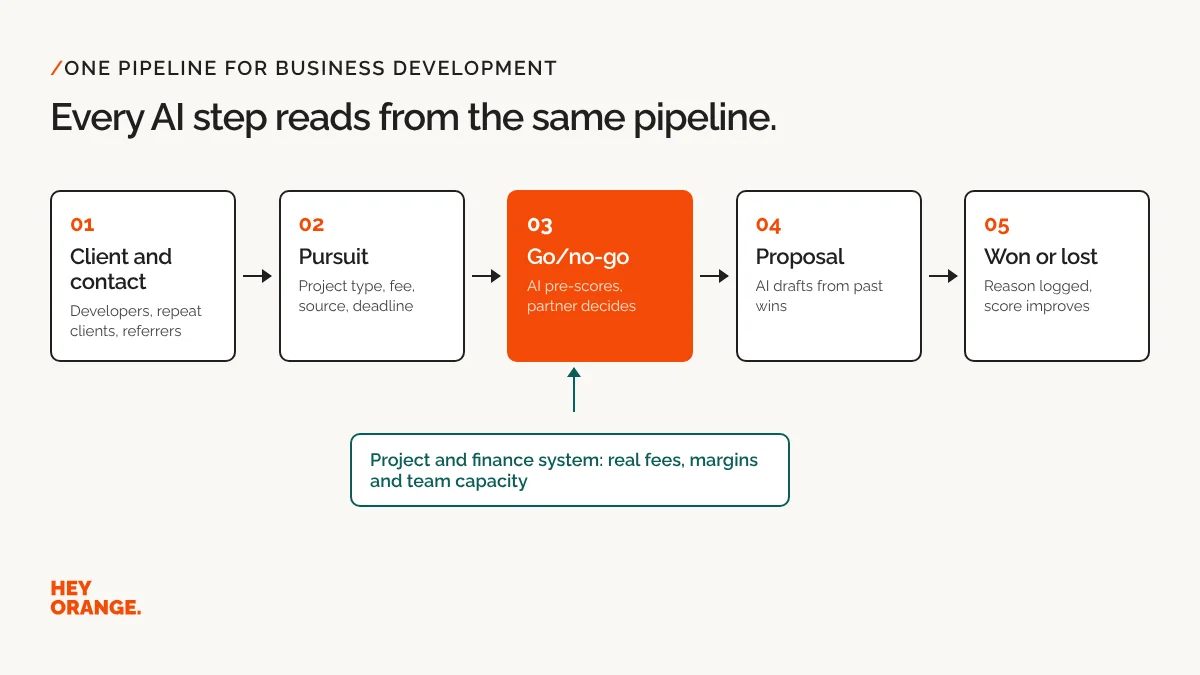
When we set this up, we start with a two-week cleanup (approximately): one list of every client, contact and open pursuit, duplicates merged, and the last 12 months of proposal outcomes logged. Only then do we add AI on top, because every later step reads from that list.
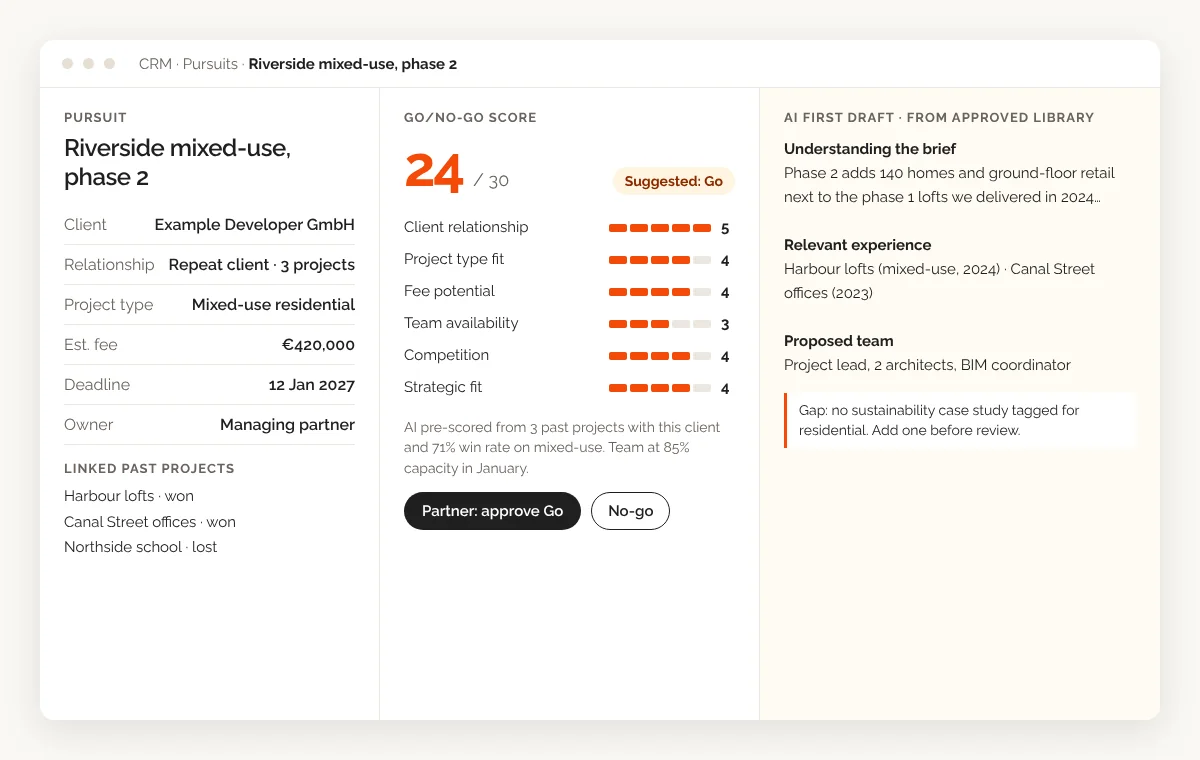
The highest-return use of AI in business development is saying no faster. In the 2026 Inspire data, 92% of AEC firms have some kind of go/no-go process, but only 47% follow a formal one. The rest decide on gut feel, under deadline pressure.
A practical setup looks like this:
When to keep it manual: if you respond to fewer than ten opportunities a year, a simple scoring sheet in the CRM is enough. Above that, AI pre-scoring saves partner time and makes decisions consistent.
Generic AI writing sounds generic, and selection committees notice. The fix is to give AI your own material: winning proposals, project sheets, team CVs, fee structures and the client's brief.
The options:
We usually recommend building the library first, then adding the agent. The agent saves the most time, but only once the library is clean and tagged.
For most architecture firms, the best new work comes from people who already know you: developers, repeat clients and consultants who refer you. That work is won between RFPs, not inside them.
AI and automation help here in small, steady ways:
The goal is not more emails. It's making sure no good relationship goes quiet because everyone was busy on deadlines.
Pull your last 12 months of proposals into one list: client, project type, fee, who led it and whether you won. Then work out your win rate by project type and by client. That single view usually shows where you're over-pursuing, and it's the data any AI tool will need anyway.
If the list takes more than a day to build, that's your answer: the first step is a CRM, not another AI tool.
Read next: When Your Company Is Nine Companies: Who Owns the Customer Record? Want help setting this up? Book a call.
Most use it to write proposals, project descriptions and marketing content faster. Fewer use it for go/no-go scoring, client research and follow-up, which is where the bigger gains are. Business development and marketing is now the area where AEC firms use AI most.
Not by writing alone. Win rates improve when you pursue fewer, better-fit opportunities, and AI helps by pre-scoring each one from your own history. A partner should still make every go/no-go call.
For a firm with more than one or two people doing business development, yes. AI needs one place where clients, pursuits, outcomes and past proposals are stored and kept up to date. Without it, AI works from fragments and copy-paste.
It depends on your size and existing systems. We prefer HubSpot for most firms with 20-150 people because it's easy for partners to use and connects to project and finance tools. Firms that run everything in Deltek or Unanet may keep pursuits there and connect a CRM for marketing and relationships.
Use AI features inside tools that keep your data in your own account, such as your CRM's built-in AI, rather than pasting fee proposals into public chat tools. Set clear rules on what can be shared, and keep fee and contract details out of external prompts.