Your CRM Integration Has a Resignation Date

Key takeaways:

  • Integrations usually stop because a person leaves and their login is deactivated, not because the code breaks.
  • A working integration is invisible, so nobody checks on it until a sales rep notices records are missing weeks later.
  • Every sync needs a named role as owner (with a backup), a service account instead of a personal login, and documentation that is kept current.
  • Monitor for silence, not just errors: if a sync that creates fifty records a day creates none, someone should know that day.
  • The same discipline applies inside HubSpot: never edit live workflows directly, and protect Closed Won deals from automation.

It happens quietly

An employee who set up the ERP-to-CRM sync moves on. Their account is deactivated, as it should be. And the integration, which was authenticated under their login, stops.

No error lands in anyone’s inbox, because the person who would have received it no longer works there. Weeks later, a sales rep notices that new customers aren’t appearing in HubSpot, and the investigation begins: who built this, where does it run, and what was it supposed to do?

We’ve walked into this situation more than once. In one recent case, the app connecting a multi-market ERP to HubSpot had no named owner and no “installed by” record at all. It was still running, still creating records, and nobody could say with confidence who was responsible for it. That’s not a technical problem. It’s a governance gap with a technical symptom.

Why it keeps happening

Integrations are usually built as projects and then left to run as if they were infrastructure. The project has an owner; the running system doesn’t.

Documentation lives in the head of whoever built it, or in an agency’s handover folder nobody opens. And because a working integration is invisible, nobody thinks about it until it stops.
Not sure who owns your integrations?

We’ll map every sync in your HubSpot stack, find the ones running on someone’s personal login and set up monitoring that notices silence. Book a free session with one of our experts.

Take HubSpot Readiness Check

Discover how ready your business is for HubSpot. Take our HubSpot Readiness Check to uncover your automation potential and get personalized next steps. It's a 7-question quizz that's done in under 30 seconds.  

Four rules we now apply to every integration

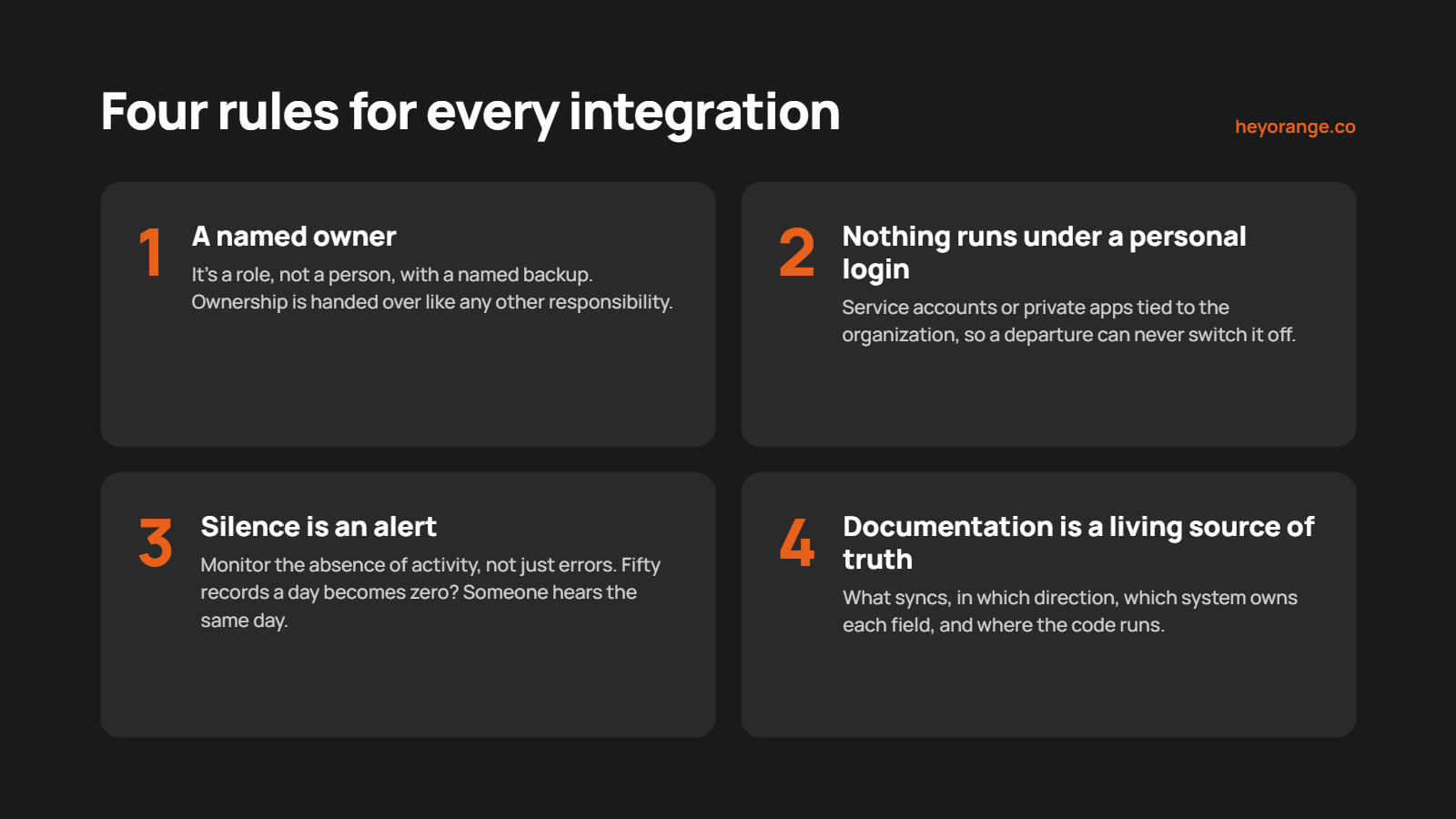
  1. Every integration has a named owner, and it’s a role, not a person. Someone in the business is accountable for each sync, with a named backup. When that person changes roles, ownership is handed over like any other responsibility.
  2. Nothing runs under a personal login. Integrations authenticate through service accounts or private apps tied to the organization, so a staff departure can never switch them off.
  3. Silence is an alert. Monitoring watches for the absence of activity, not just errors. If a sync that normally creates fifty records a day creates none, someone hears about it the same day.
  4. Documentation is a living source of truth. What syncs, in which direction, which system owns each field, and where the code runs, written down and updated whenever the integration changes.

The same discipline, inside HubSpot

The same thinking applies to workflows. Live workflows are never edited directly; changes are built in a copy, tested on test records and switched over deliberately. Closed Won deals are protected so no automation can quietly change them.

These feel like small habits. They’re the difference between a CRM that’s maintained and one that’s merely running.

The question to ask today

Pick the most important integration in your stack and ask three questions.

  1. Who owns it?
  2. What account does it run under?
  3. How would you know if it stopped?